

When two or more are gathered, great things can happen—especially in a collaborative workspace! Cloud of Worship allows multiple members of your media team to work together simultaneously, whether they’re in the same location or working remotely.
This feature is especially helpful when a team member needs to work from home, they can still contribute valuable information to the team on-site, ensuring seamless coordination.
Adding Members to Your Workspace
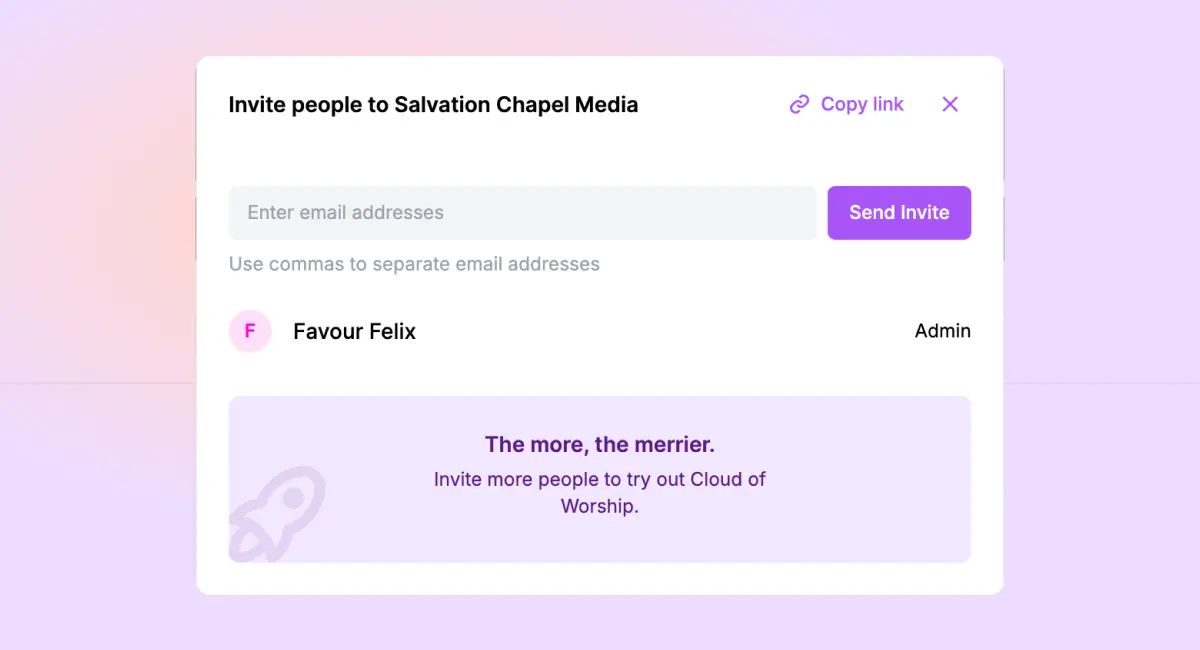
Adding new members to your media team is simple. Follow these steps:
- Click on the “Invite” Button
- Invite Members
- Send Email Invitation or unique signup link
1. Click on the “Invite” Button
In the top-right corner of the navigation bar, you’ll find the Invite button. Clicking it will open a modal window where you can view all users currently in your workspace. For new accounts, you’ll only see yourself listed.
2. Invite Member
You have two options to add team members:
3. Send an Email Invitation or Unique Signup Link:
Enter the email addresses of your team members and send them an invite OR Copy the unique link and send it to team members privately. When they open the link, they’ll just need to enter their full name, email, and create a password.
Once they’ve joined, your team can begin working together on schedules, slides, and more—no matter where they are located.
Key Takeaways:
- Collaborate remotely: Team members can work from anywhere and still contribute to the media schedule.
- Easy invitations: Add members via email or a unique signup link.
- Real-time teamwork: Multiple team members can work on one or more schedules simultaneously, improving productivity and collaboration.